Friday, July 21, 2023

Charming Pirate ~ CT Tutorial


A PSP tutorial using the
Stunning AI Scrap kit by Curious Creative Dreams
called Charming Pirate available HERE
This charming AI kit has 100 Elements,
10 Frames & 20 Papers


Mask by JusfFi called JustFi_Mask002
found HERE
Sadly her website is no longer so its supplied for you
I do so with most respect to her creations.
Heavy drop shadow of choice
Font used is Pirate Grunge

1. Open a new transparent bg 750 x 775 px
flood fill the layer white.  We will resize later.
Add NRL, flood fill with foreground colour #520406
Apply JustFi_Mask002
Merge group.
Open frame 4 ~ 50%, C/P upper right, duplicate, move
copy lower left
Using magic wand, click inside of frame, expand selection by 5 px
Add NRL, flood fill black. Move black fill below frame.
Repeat for other frame.

2.  Now to build your tag:
add the following elements or elements of choice
el 17 ~ F/S
el 13 ~ 50%
el 8 ~ 40%
el 2 ~ 10%
el 4 ~ 15%
el 5 ~ 20%
el 20 ~ 20%
el 48 ~ 50%
el 94 ~ 75%
el 45 ~ 50%
el 39 ~ 20%
el 35 ~ 30%
el 20 ~ 25%
el 49 ~ 20%
el 43 ~ 20%
el 44 ~  15%
el 50 ~ 20%
el 12 ~ 20%
el 9 ~ 10% rotate 10 deg to right
el 11 ~ 20%,  rotate 10 deg to left
el 40 ~ 10%
el 10 ~ 10%
el 82 ~ 25 %
el 83 ~ 25%
el 23 ~ 40%
el 54 ~ 50%
el 7 ~ 20%
el 46 ~ 25%
el 19 ~ 22%

3.  Add dropshadow to most elements
except netting: use 1/1/50/1 black
Sharpen elements only once

4. Crop ~ merged opaque
Resize entire tag to desired height or approx 700 px
Add copyright, url, watermark & name.
Merge visible &
save as a PNG

Thank you for trying this tutorial.
Arrrgh!

Wednesday, July 19, 2023

Chasing Sunsets ~ CT Tutorial

In this PSP tutorial, I am using a beautiful Exclusive tube by Ellie_Milk
available for purchase at  Pics for Design
A PTU Scrap kit by Kathy's PSP Designs
called Chasing Sunsets available HERE
A beautiful beach kit with gorgeous flowers.


Please check out her entire blog for inspiration
Thank you ♥ Kathy ♥
Allisons Addiction Mask 26 HERE (second one down)
Drop shadow of choice
Note: Remember to sharpen elements once when resizing
Font used is Bebas Neue

1. Open a new transparent bg 750 x 775 px
flood fill the layer white.
Add NRL, select All
Open Paper 9, C/Paste into the selection, d/s
Apply Mask.
Add NRL, select All
Open Paper 2, C/Paste into the selection, d/s
Apply same Mask.

el 70 ~75% C/P left & upward
Place the following elements below el 70:
el 57 ~ 50%, duplicate, mirror
el 47 ~ 75%, duplicate, mirror
el 34 ~ 75%, duplicate, move down slightly
erase any part of trunk below
el 41 ~ 50%, C/P along bottom left, change blend mode to dissolve, duplicate/mirror
place slightly upward to original
Add noise to each of the sand layers:
Uniform ~ 23, monochrome Unchecked
duplicate each sand layer, change copy to 'screen' mode & reduce opacity to 40 for each.

el 27 ~ 40% place right
el 48 ~ 75%, place left

draw rectangular selection around opening in el 70
open Paper 3, resized 50%
C/P beneath el 70, invert selection, delete. d/s
Sharpen paper. 
Add wide drop shadow to el 70:
0/10/25/15, colour black

el 97 ~ 50%, place to right, duplicate, move to right & slightly upward
duplicate both of these waves, change blend mode to 'screen' on copy layers.
el 28 ~ 15%, place inside of window of el 70, drop opacity to 72
*see reference tag*

2.  The following elements will be placed above el 70:

el 69 ~ 20%, use pick tool to place on top of el 70
resize as needed, sharpen
el 61 ~ 40% place to left, flip horizontally

el 5 ~ 35%, duplicate, mirror 

el 4 ~ 40 % duplicate, reduce 75%, duplicate, reduce 75%
arrange flowers as desired
el 56 ~ 25%, flip vertically, place over waves on right

el 43 ~ 50%, duplicate, mirror (place copy above main tube)
el 99 ~ 20% 

3.  Add main tube. if using same tube, resize 35%, C/P
duplicate, change blend mode to 'soft light' & drop opacity to 50%
Add dropshadow to original tube layer only.

duplicate el 4 (pink flowers) added earlier
as many times as needed and place
above main tube on layers palette.
el 40 ~ 50% place left, duplicate, mirror, move up slightly on right
el 36 ~ 25%
el 38 ~ 25%
el 39 ~ 25%
el 10 ~ 40%
el 37 ~ 25%
el 46 ~ 25%
el 84 ~ 20%, rotate left 12 deg, sharpen
el 60 ~ 35%
el 75 ~ 15%
el 75 ~ 10%
el 68 ~ 10%, duplicate, change blend mode to 'screen'
el 14 ~ 15%, duplicate, resize 50% more
el 31 ~ 10%
el 72 ~ $%, duplicate, mirror
el 98 ~ 25%
Add any other elements of choice.
Make it your own.

4. Crop ~ merged opaque
Resize entire tag to desired height or approx 700 px
Add copyright, url, watermark & name.
Merge visible &
save as a PNG

Thank you for trying this tutorial.
xo


Saturday, July 15, 2023

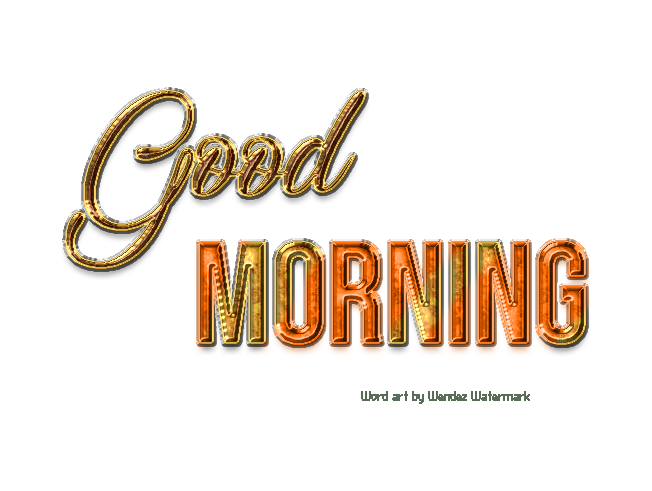
Good Morning Word Art

Enjoy this word art made for you.

You can use the words separately or together.

Have fun!

simply right click & save


Sunday, July 9, 2023

Seashell Girl CT Tag


*click on image to see full size*
Artist Tube ~ Very Many of Very Many Tubes
 Gorgeous Scrapkit  ~ 'Seashell Girl' available at


This most Gorgeous kit has 105 elements including AI elements,
10 frames & 20 papers. I loved working with this scrapkit.

Word art by myself downloadable below: